Design — 2025
MARI
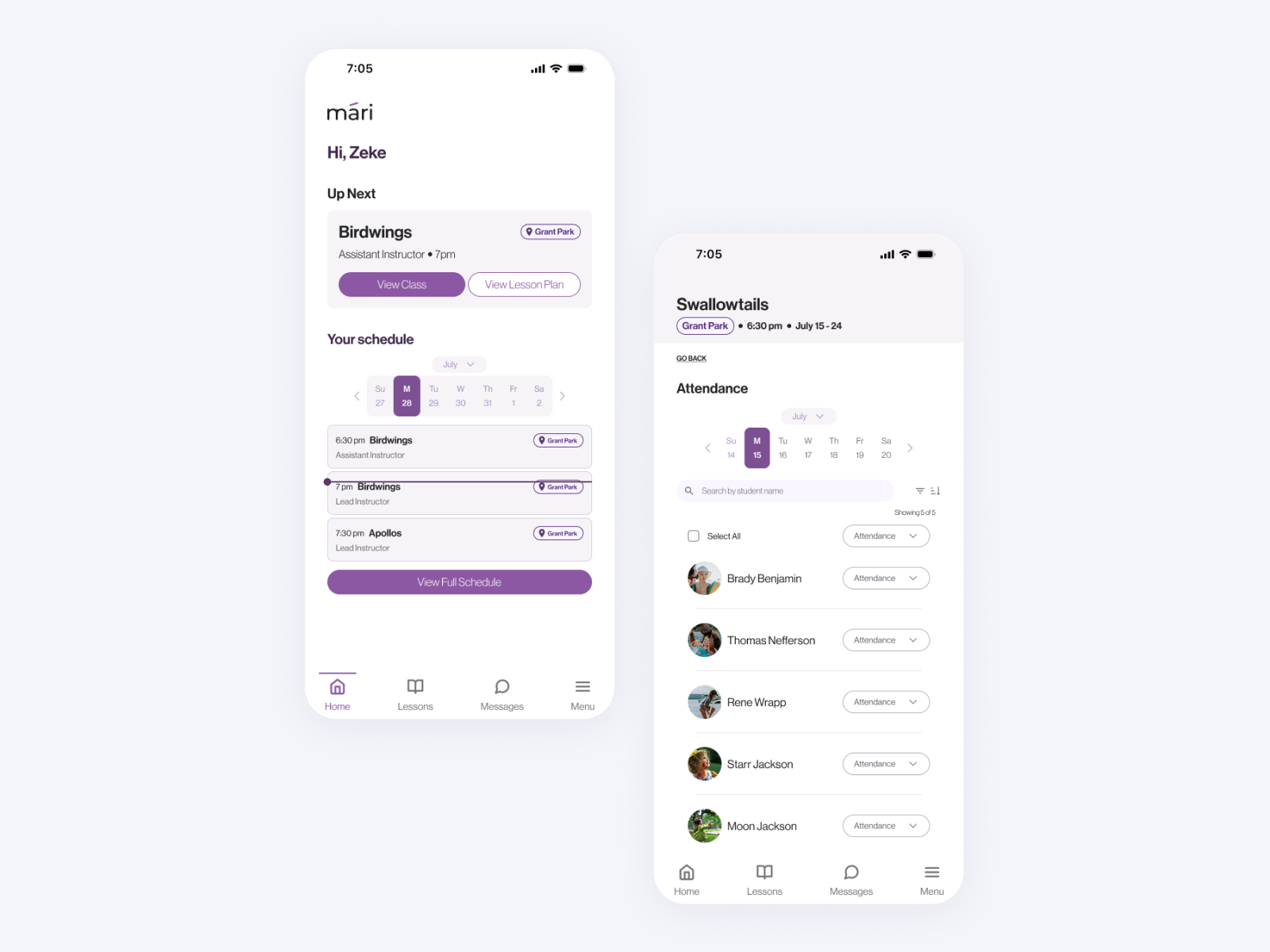
MARI is an education management platform designed to give seamless progress management for instructional swim companies.
The Challenge
Water Wings Swim, a growing swim instruction company, was drowning in manual processes. The founder managed everything by hand—from scheduling to skill assessments—creating an unsustainable system that was time-consuming and error-prone. Instructors lacked an efficient way to record student progress or communicate with parents, resulting in reporting bottlenecks and inconsistent experiences.
Key Pain Points Identified:
- Administrative tasks consumed excessive time that could be better spent teaching
- No standardized method for tracking student skill progression
- Limited visibility into class-wide performance trends
- Inefficient parent communication regarding student progress
- Paper-based processes vulnerable to loss and human error
The Solution
I co-created MARI, a no-code learning management platform specifically designed for skill-based education. As the UX lead, I transformed manual workflows into an intuitive digital platform that now supports over 36 instructors and administrators.
Core Features Delivered:
- Streamlined attendance tracking with bulk actions
- Intuitive skill assessment interface
- Automated progress reporting to parents
- Class-wide performance visualization
- Mobile-optimized interface for poolside use
My Process
1. Discovery & Research
Stakeholder InterviewsI began by conducting in-depth conversations with the organization owner to identify core pain points and business requirements. These discussions revealed the unsustainable nature of the current manual system and the need for a digital solution.
Competitive AnalysisI performed a comprehensive audit of existing learning management platforms to identify gaps and opportunities.
Key findings from competitor analysis:
-
Weaknesses in Competitors
Student/class details were always presented in editable input format, reducing scannabilityPrimary actions were unclear (e.g., Jackrabbit's prominent delete button created user uncertainty)Visual clutter and poor hierarchy made quick information retrieval difficultLimited mobile optimization restricted poolside usabilitySkill assessments required too many steps to accessCritical reporting functions were buried in complex menus
-
Opportunities Identified
Skills could be assigned to classes and students, indicating potential for a strong data modelClear content categorization improved information retrievalUnique skill identifiers offered data aggregation possibilities
This analysis validated our decision to build MARI, confirming no existing platform was optimized for quantitative skills tracking in fast-paced, instructor-led environments.
2. User Research & Persona Development
Following initial MVP development, I conducted moderated usability sessions with 5 instructors to gather feedback on early functionality and identify pain points. These sessions involved task completion scenarios and think-aloud protocols.
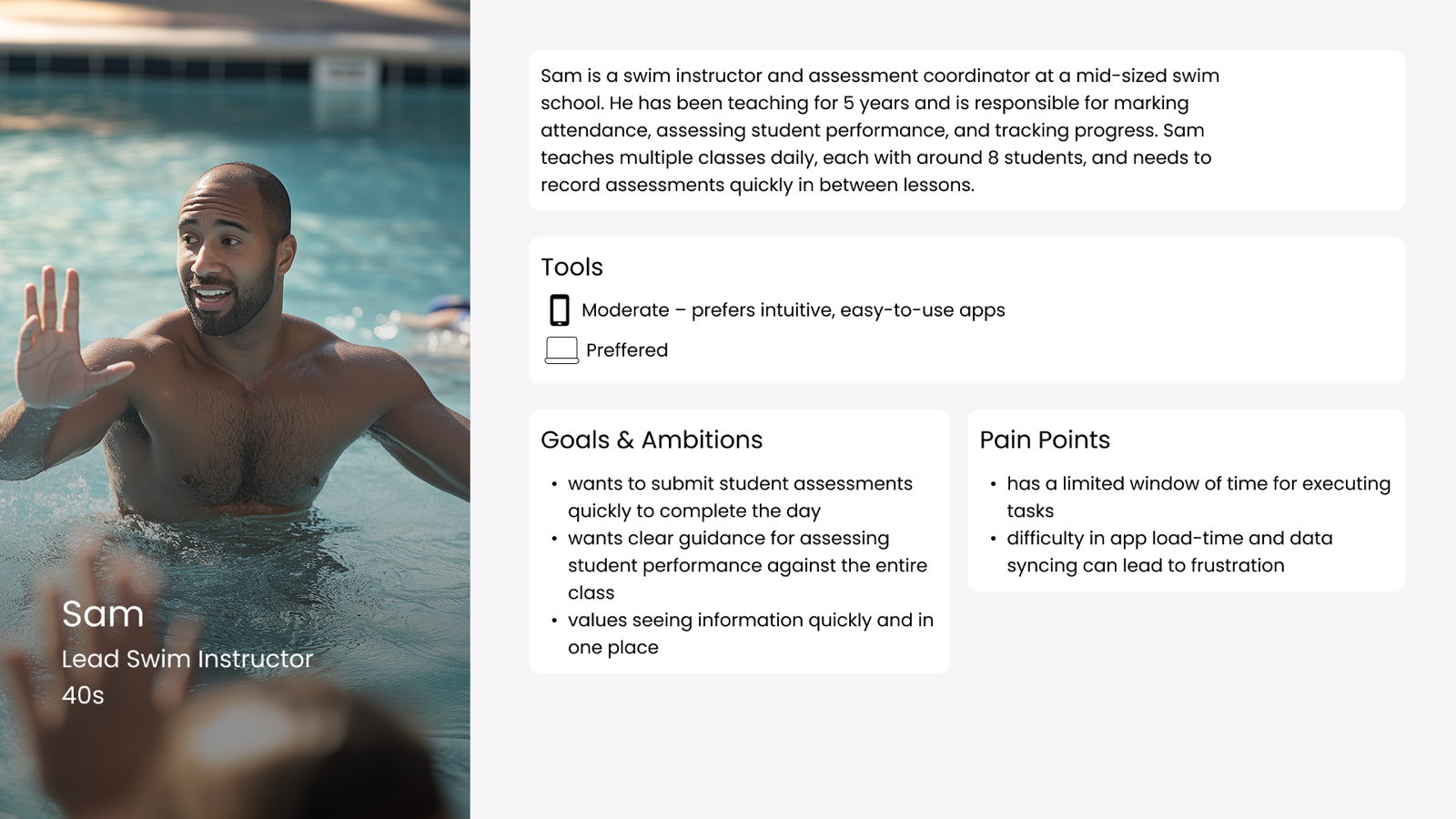
Primary Persona: The Instructor
3. Design Principles & Approach
Based on research findings, I established four core design heuristics to guide my solutions:
-
Aesthetic and Minimalist Design
Removed visual clutter to focus on essential informationUsed clear visual hierarchy to prioritize frequent actionsLimited color usage to emphasize key interactive elements
-
User Control and Freedom
Created easy navigation pathways with minimal depthDesigned clear "back" functions to prevent user entrapmentImplemented confirmation for critical actions
-
Flexibility and Ease of Use
Added bulk actions for common tasks like attendanceDesigned vertical card layouts for intuitive mobile scrollingCreated consistent interaction patterns across features
-
Help and Documentation
Incorporated explicit instructions within the interfaceUsed clear, descriptive labels for all actionsProvided contextual guidance at point of need
4. Prototyping & Iteration
I created high-fidelity prototypes in Figma, focusing on addressing the key pain points identified in research. The design process involved multiple iterations based on stakeholder feedback and usability testing.
Key Design Decisions:
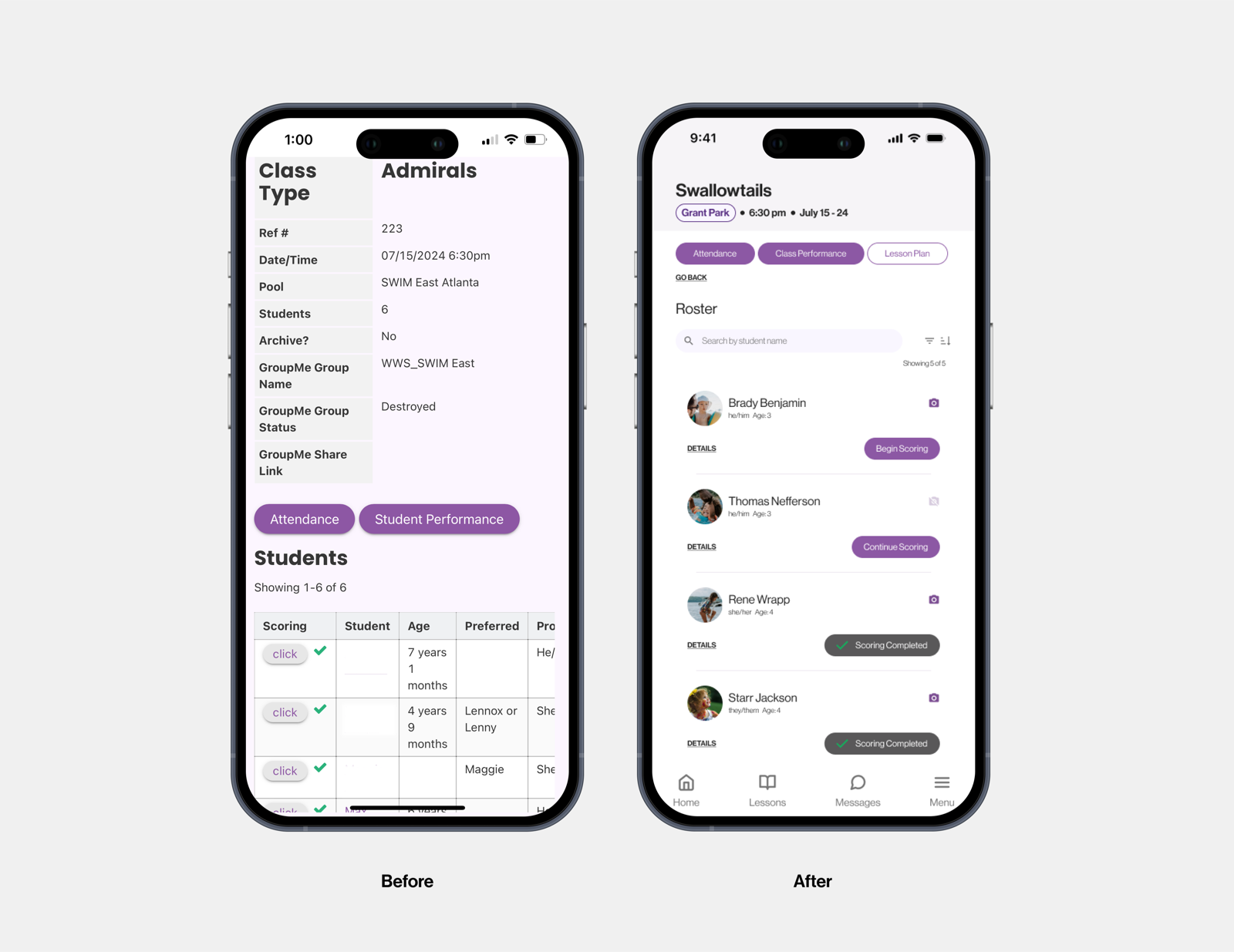
Redesign Student Roster as Vertical Cards
Why: Testing showed horizontal scrolling created confusion on mobile Result: More intuitive navigation pattern aligned with mobile user experiences
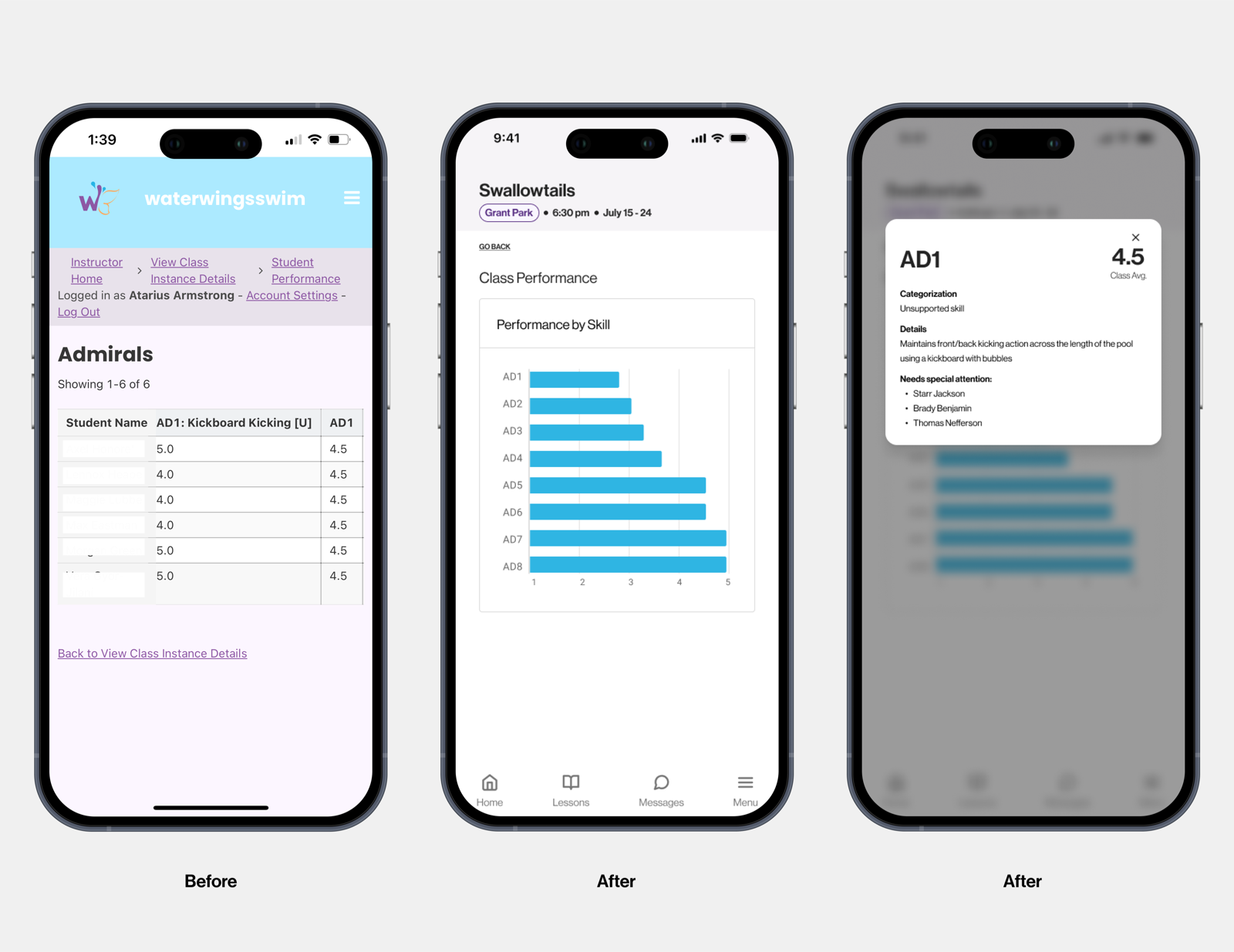
Class Performance Visualization
Why: Instructors needed at-a-glance performance metrics Result: Visual representation of skill averages allowed quick identification of class progress
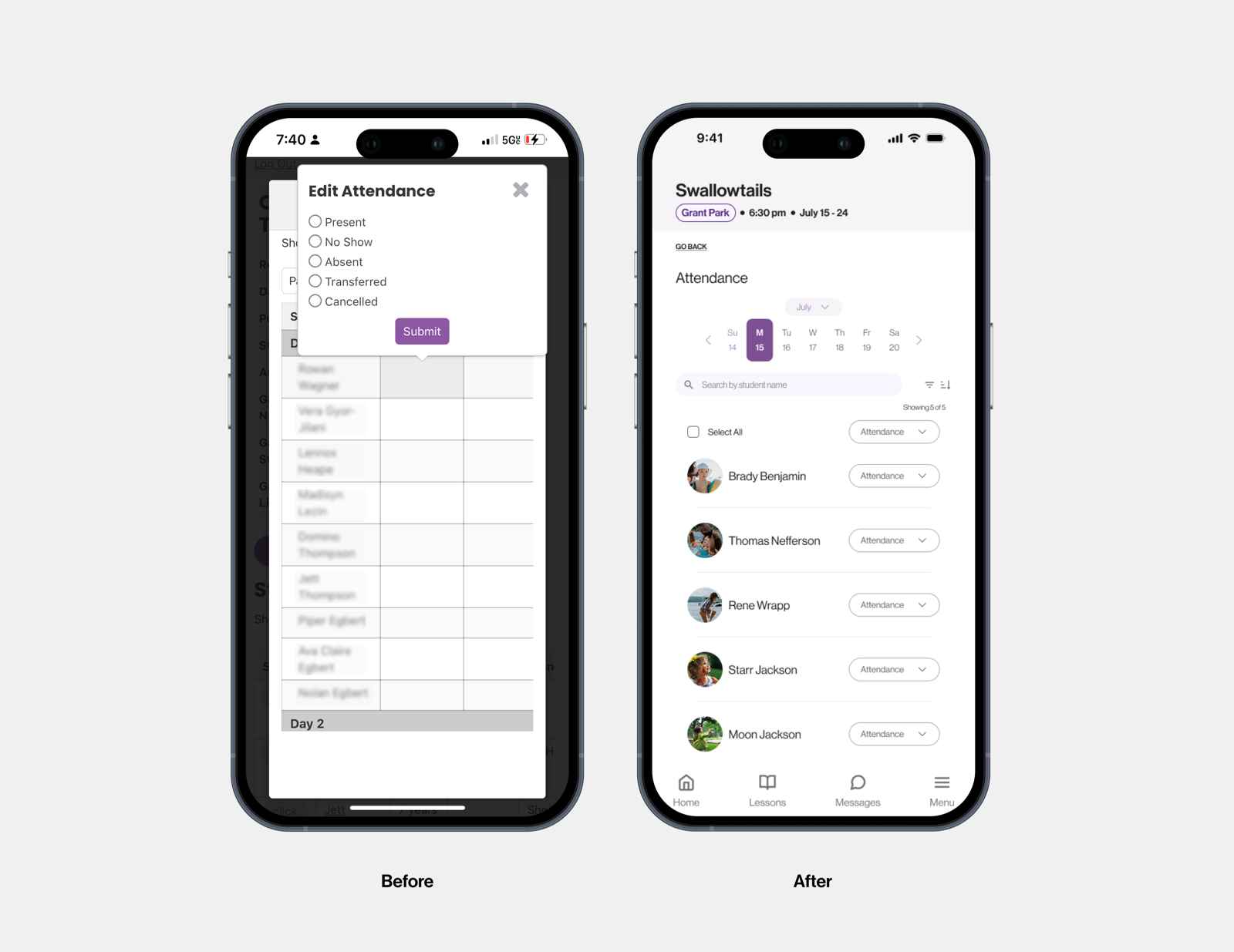
Bulk Actions for Attendance
Why: Individual attendance marking was time-consuming in the limited window between classes Result: Reduced attendance marking time by over 60%
5. Usability Testing & Validation
I conducted multiple rounds of usability testing with instructors to validate design decisions:
Testing Methodology:
- 5 moderated usability sessions with swim instructors
- Task-based scenarios covering core functionality
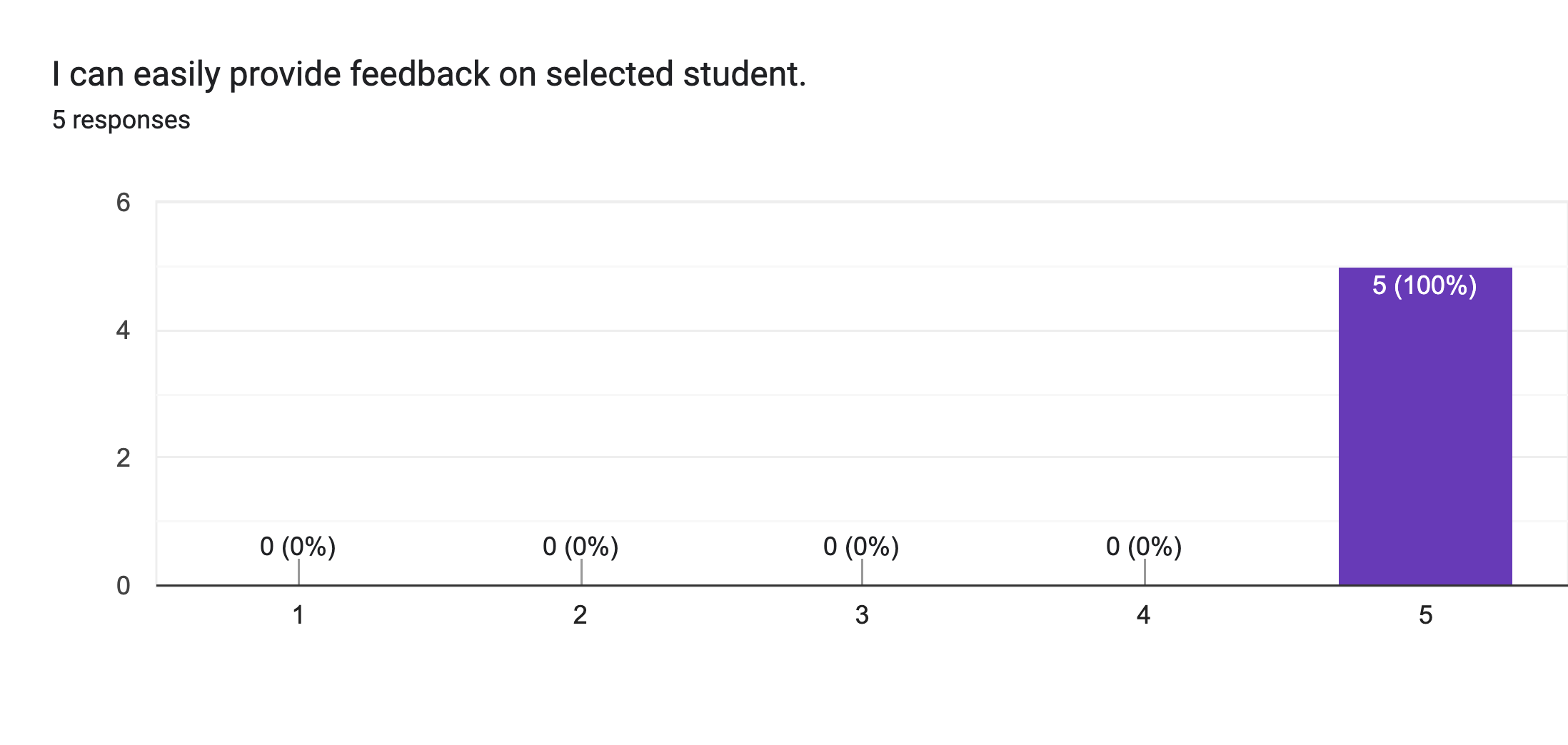
- Follow-up satisfaction surveys to quantify improvements
Key Metrics:
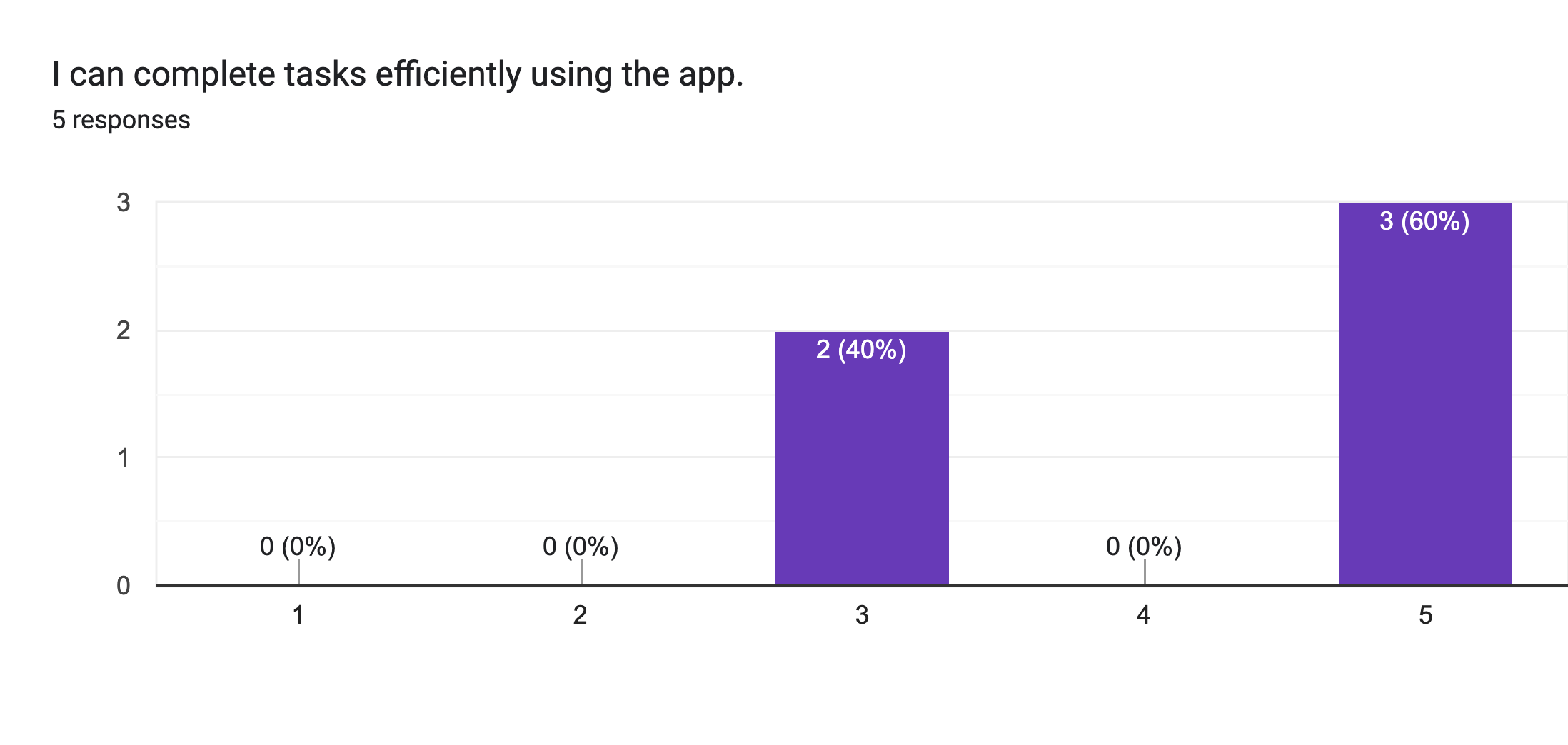
- Task completion rate: 85% of instructors successfully completed core tasks
- Overall satisfaction: 4.2/5 average rating (1 being lowest, 5 highest)
Critical Insights That Led to Refinements:
- Instructors wanted to see skill performance at a glance across the whole class
- Navigation required too many clicks for common actions
- Users valued time efficiency above feature richness
Outcomes & Impact
✨ 36 users successfully onboarded across instructor and admin roles
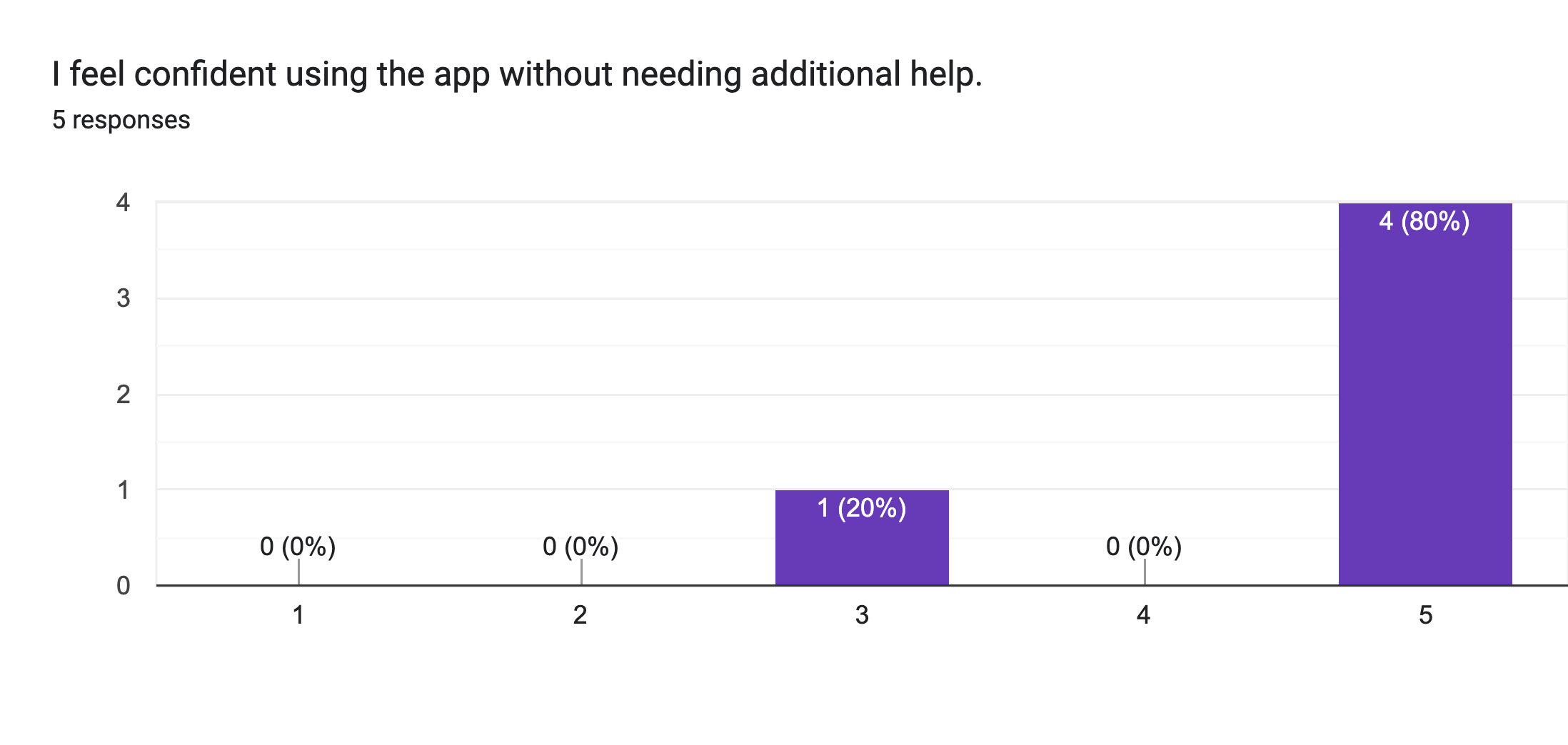
✨ 80% of instructors reported confidence using MARI without additional support
✨ Progress report automation reduced hours of administrative time each week
✨ 85% task completion rate for core functions: submitting scores, taking attendance, and reading data summaries
“This makes it so much easier to see who’s falling behind. I don’t have to guess anymore.” — Instructor feedback
Challenges & Solutions
Technical Constraint: The no-code Knack platform imposed significant design and CSS limitations on implementing the full vision.
My Approach:
- Prioritized critical UX improvements that could be implemented within platform constraints
- Created a comprehensive design system for future platform migration
- Collaborated with the co-founder on cost analysis for rebuilding on a more flexible platform
- Developed a phased implementation plan to balance immediate needs with long-term vision
This challenge required me to think strategically about the product roadmap while delivering immediate value within existing constraints.
Lessons Learned
-
Platform selection is crucial for design flexibility
- Understanding technical constraints early helps set realistic design parameters
-
Testing in real environments matters
- The poolside context revealed connectivity issues that wouldn't appear in office testing
-
Minimalism serves busy users
- Instructors deeply appreciated the focused, distraction-free interface
-
Iteration based on real user feedback is invaluable
- Some of our most impactful improvements came directly from instructor suggestions
Next Steps
We're currently working toward MARI V2 with these goals:
- Fully integrate parent registration and profiles
- Migrate to a more flexible development platform
- Package MARI for other progressive-skill programs beyond swimming
- Expand reporting capabilities with data visualization